Cold, quiet, incomplete
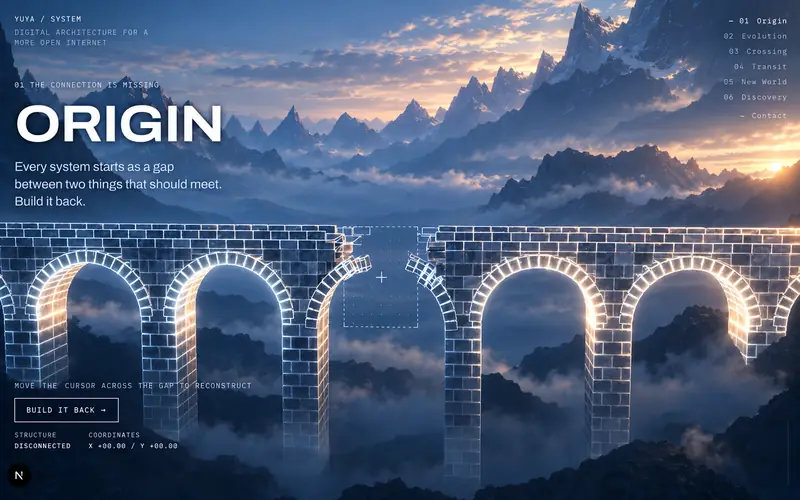
An incomplete stone bridge introduces the missing connection. The goal: create curiosity and invite you to take part.
Intention · curiosity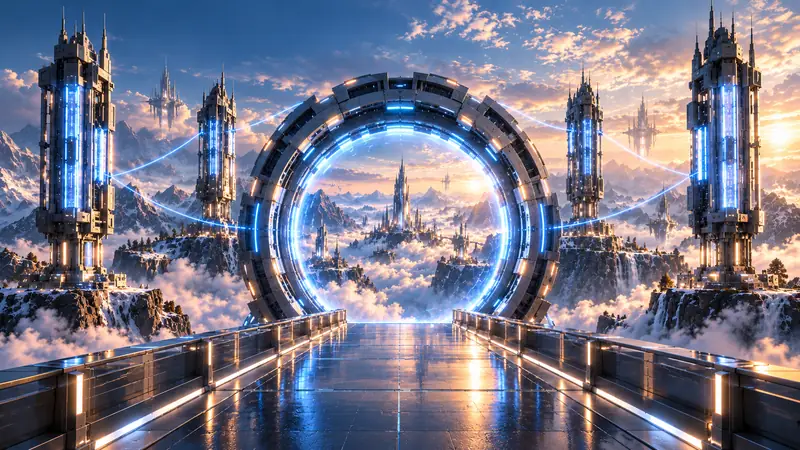
From an imagined world to an interactive web experienceI wanted a place that shows where I’m going. So I built a bridge between two worlds, and a way for you to cross it.
Start the crossingA place where design, AI, storytelling and interactive experiences can all live together. I pictured a bridge hanging between mountains, leading to a Portal, with a different world waiting on the other side.
A bridge felt right because it makes connection visible. It has a beginning, a distance to cross, and a destination. An incomplete bridge adds one more question: how do we build the part that’s missing?
From there the project grew into a sequence of places that change as you move. The bridge rebuilds and evolves, a mechanical Gateway assembles, and the journey carries on into a futuristic Lab and Discovery Gallery.
Every system starts as a gapbetween two things that should meet.Build it back.
The outlined stone blocks make the structure easy to read: the arches, the missing piece, how everything fits. The UI around it stays quiet. A big chapter title, a short line, one action, the chapter nav. The landscape gives scale, the text gives just enough to begin.
On the real site the bridge is part of a live 3D scene in the browser, so its state actually changes when you interact. Rebuilding it is part of the experience, not an animation you watch.
I organized the world as a progression. The stone bridge matters later because you’ve already seen it broken. The Gateway shows the destination before you get there. And a dramatic Portal would feel empty if the story ended right after it.
This also became my filter for new ideas: does this support the journey, or is it just another impressive object?
I decided what each chapter should say, how the camera reveals the space, and how materials and light change along the way. Then I reviewed screenshots, compared versions and gave focused feedback. Sometimes that meant a big atmosphere change. Other times it meant protecting something that already worked.
There were two structures: the chapters visitors experience, and the development phases I used to build them. Tap either row to see how they connect.
An incomplete stone bridge introduces the missing connection. The goal: create curiosity and invite you to take part.
Intention · curiosityThe bridge starts taking on futuristic materials and energy. Transformation becomes something you can see, in an object you already recognize.
Intention · visible changeScrolling moves the camera forward while the world changes around you. Every visual state is tied to a spot on the scroll timeline, so scrolling back restores exactly what you saw. Try it.
Intention · anticipationThe Computing Towers and Quantum Gateway take over. The camera decides when the Gateway becomes dominant and when the destination is revealed.
Intention · reveal the thresholdA structured pathway leads into the Lab. Repeating frames make forward movement easy to feel, and the Holographic Chamber waits at the end.
Intention · clear arrivalThe journey opens into a gallery. After all that scale and movement, attention shifts to looking around and finding what’s next.
Intention · exploration
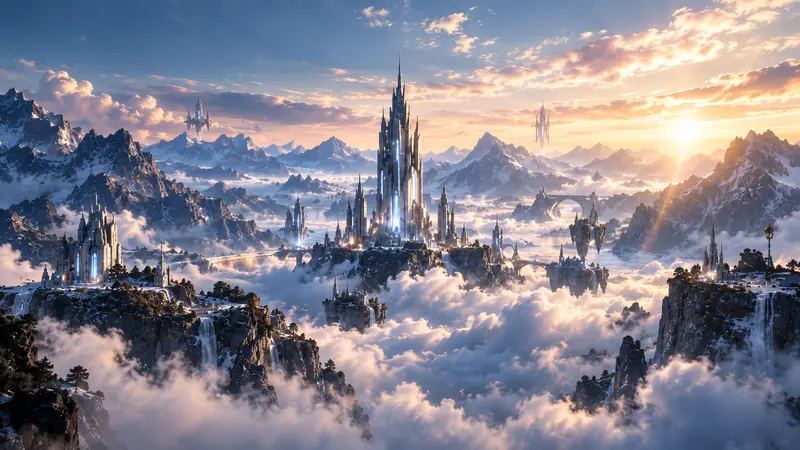
The Portal is a 3D mechanical ring with a future-world image inside the opening. Warm light, mountains, clouds and distant towers set the mood before you arrive. Then an image dissolve carries you into the New World. Keep scrolling.
The Gateway is the central visual event. Its assembly gives the crossing a sense of preparation, and the four Computing Towers suggest a bigger system around it.
I wanted it to feel substantial: surfaces with weight and mechanical depth, an illuminated inner edge that suggests energy. Once the assembly and camera sequence felt right, I treated them as protected parts of the design.
Frames the view.
Creates anticipation.
Brings you closer. How they work together matters more than how complex any one part is.
That before-and-after moment was one of the most useful in the whole project. The first material pass was technically done, but the scene still felt uniformly gray.
Illustration: a filter on the final render, to show the idea
Bridge, ring, towers and mountains all had similar brightness, while the world inside the Portal had more color and depth than everything around it. That clarified the real problem: tweaking a few metal surfaces wasn’t going to be enough. Sky, terrain, light and atmosphere had to change together.
So the later chapters moved to a blue-hour palette with a warm horizon.
The opening stays cold and restrained. The richer colors belong to the transformation, so the world feels like it’s slowly waking up. This page does it too: scroll back to the top and it’s a little colder.
Weight and a clear foreground.
Makes distance easier to read.
Ties the outside to the warmth in the Portal.
Sets it apart from the old stone.
Pulls the eye to active parts.
Readable against the landscape.
An edge-highlight effect was spreading across the Gateway’s small plates, keeping their faces pale even after the material underneath had been darkened. Turning that highlight down let the intended contrast finally show. Slide it down, then switch to visitor distance.
Most of this happens in shaders: small programs that decide how a surface reacts to light. For the Gateway I directed three layers:
The towers follow the same idea: a concentrated glowing core inside a darker structure.
Judge the result from the visitor’s actual camera distance.
Repeated rectangular frames, a central walkway and circular ceiling structures guide you toward the Holographic Chamber. I liked this layout early on, so I left it alone.
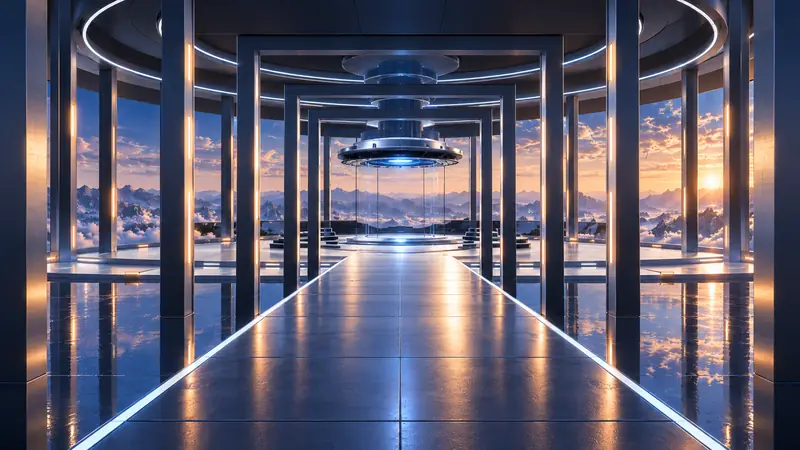
The floor became dark titanium with controlled reflections and visible panel lines. Thin edge lights reinforce the path, selected ceiling lights add rhythm overhead, and the chamber is the focal point at the far end. Flip the diagram to compare.
Glowing surfaces and existing lighting. A glowing strip gives a strong visual cue.
Lots of new dynamic lights. Making nearby surfaces look truly lit takes extra work, and the browser pays for it.
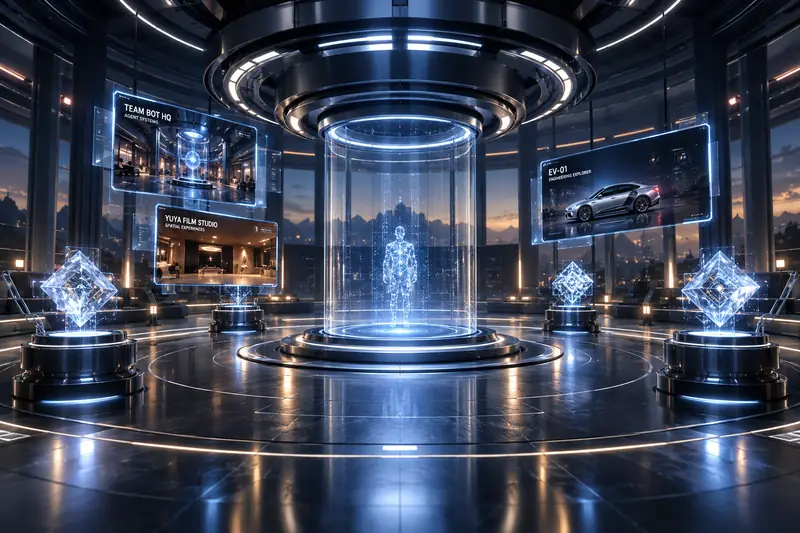
The Lab is where the journey settles. Floating panels hold my other projects, and the chamber in the middle is saved for something next.
After the scale and movement of the crossing, I wanted a quieter encounter. At the center of the Lab, a monumental female figure takes shape inside a holographic chamber. She brings the experience back to something personal: the person behind the world.
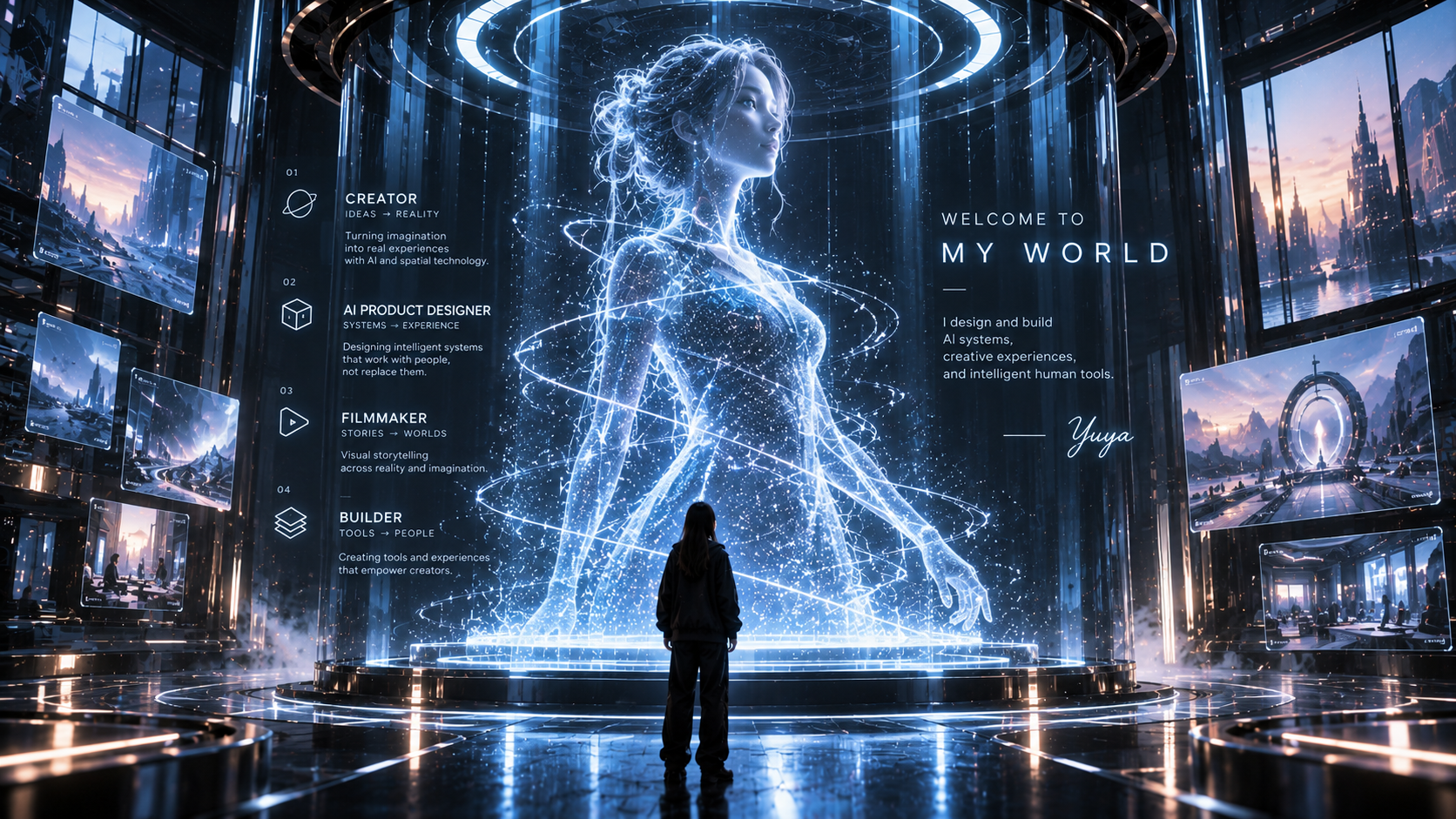
I first explored procedural geometry and particles in Three.js. But the same simple shapes that work for architecture can make a person feel robotic. More glowing points wouldn’t solve the underlying problem: the figure needed a believable silhouette.
I chose a high-quality female 3D mesh, a particle hologram shader, and luminous wireframe. The mesh gives me natural proportions and a recognizable face. The other layers transform that foundation into a digital presence without losing its humanity.
Fine contours, wireframe details, and scanning lines trace the figure in icy blue and white. I keep darker areas within the form so the face and body retain depth. Orbital rings connect her visually to the chamber’s larger energy system.
The planned implementation uses Three.js to place and render the mesh. GPU particles follow its surface, while custom GLSL shaders control their brightness, transparency, and movement. Scroll-driven animation ties the activation to the visitor’s arrival.
The goal isn’t the largest particle count. It’s a figure you can read while the whole Lab stays responsive. I’m designing the layers with adjustable detail, fewer particles on lower-powered devices, and a simplified lighting treatment that preserves the silhouette.
The Bridge begins with a missing connection. Visitors rebuild it, cross into an unfamiliar world, and watch technology reshape their surroundings. At the center of that new world, I wanted them to encounter something human.
Technology creates the world.
Human imagination gives it meaning.
My briefs got more specific over time. I’d describe the visual problem, the result I wanted, and what must not change.
Separate Git checkpoints kept the environment, pathway materials, ceiling lighting and final Gateway pass manageable, and made it clear which changes belonged together.
The collaboration worked best when I stayed involved. Implementation feedback could tell me if a change worked technically. Only I could decide if it achieved the experience I meant.
It also has to load, move consistently, handle different screens and keep its interactions after every visual change. So validation runs alongside development.
Image comparisons catch unintended changes to Origin when shared rendering systems get adjusted later in the journey.
Transit is where the most heavy visuals appear together. The latest material pass waits on real GPU measurement instead of assuming a small code change costs nothing.
It’s in development, so there are no audience results yet. Real-phone testing and deployment come next.
It also made me more deliberate about what to keep. When the camera move or the architecture was working, I could build on it instead of redesigning everything around it.
What I have now is a working journey that gives physical form to the idea I started with. I want visitors to feel that sense of possibility as they cross into it.
A personal welcome. After the scale of the bridge and Portal, you’d reach a quieter space and meet the person who imagined it: a human presence built from a high-quality female 3D mesh, a particle hologram shader, and luminous wireframe. The mesh gives her a believable form; particles and fine lines turn that form into light. This is the direction I’m developing for the chamber’s next phase.