–GENESIS SANDBOX
A spatial AI workstudio where multi-agent collaboration becomes something you can explore, understand and interact with.
I built TeamBot, a local system of six specialist AI agents, and could only watch it work through lists and logs. So I turned it into a building you can walk through: every agent has a studio, every handoff travels as light, and the mission stops when it needs a person.
- My role
- Concept · Creative direction · UX/UI · 3D experience design · AI-assisted development
Soundtrack / Press play & explore
Project overview / By Yuya
A spatial interface for AI teamwork
Teambot HQ–GENESIS SANDBOX is a walkable 3D AI workstudio designed and built by Yuya. Six specialist agents work around a shared Core, turning a mission’s handoffs, revisions, and human decisions into an experience visitors can explore.
- The problem
- Lists and logs made it difficult to follow relationships and handoffs across a multi-agent workflow.
- My role
- Concept, creative direction, UX/UI, 3D experience design, and AI-assisted development.
- The result
- A three-level workstudio, six specialist stations, an interactive mission, and a demonstration delivery sequence.
- Validation boundary
- A working prototype with technical checks. User comprehension is untested; Live Project mode has only been tested with a stand-in server.
Project questions ↓ · Technical build ↓ · Results and limitations ↓
The glass machine
Inside the brick fortressA walkable AI operations world where autonomous workflows become spatial experiences. Hover the trace to see who handles each step, or tap a node to meet that agent.
What if you could walk inside an AI system?
I was building TeamBot, a local work system made of specialist AI agents. Each one has a job, and they pass work down a pipeline together.
It worked. But you could only see it through dashboards, lists and logs. I kept wondering: what if, instead of reading an agent's status, you could step into the place where it works? I wanted someone with zero technical background to understand the whole system just by looking around.
Making invisible workflows visible.
The hard part of a multi-agent system isn't how many agents you have. It's how they work together.
A dashboard is good at what it was made for: individual tasks and their statuses. What it shows less well is the relationships. Who handed what to whom? Where is the work right now? When does a person have to step in? Those were exactly the things I kept losing track of in my own system.
So the goal was never to turn a dashboard into a 3D room. It was to find a representation where those relationships are the first thing you see. Flip the view on the right: same mission, same moment.
The challenge wasn't making a dashboard 3D. It was finding an easier way to understand a complex system.
Correct. But who handed what to whom? Where is the work right now? When do I need to step in?
 Reviewer · waiting
Content · writing
Stairs to L01
Reviewer · waiting
Content · writing
Stairs to L01
The glass machine inside the brick fortress.
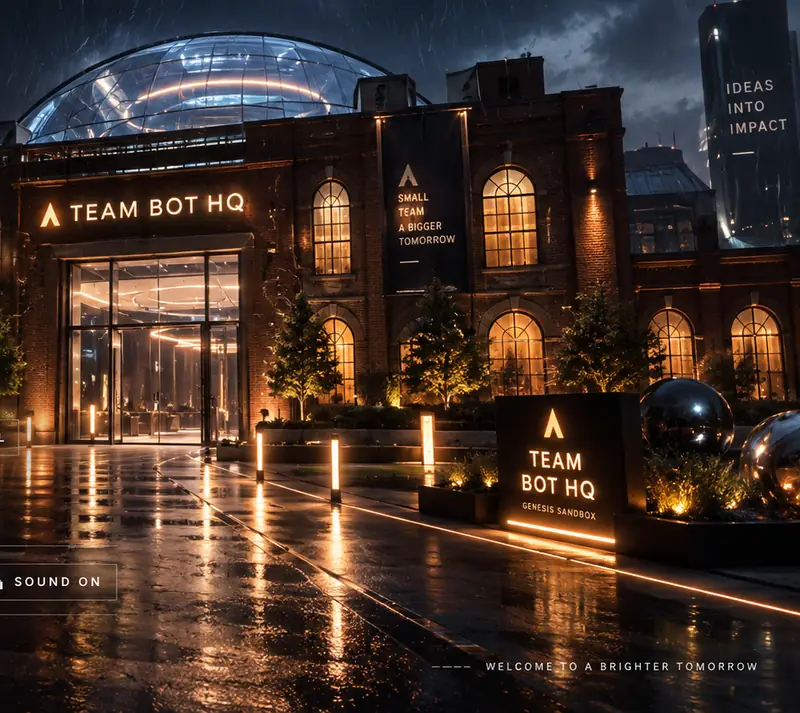
The world is built on one big contrast. Outside, an old industrial fortress that time forgot. Inside, a future workplace where AI agents collaborate.
That contrast isn't only for drama. It says what the project is about: a new way of working together is quietly forming inside the shell of the old one. Drag the door to walk through.
Outside: old red brick, steel beams, industrial pipes, a storm, wet ground and amber light. It feels heavy, worn, almost abandoned.
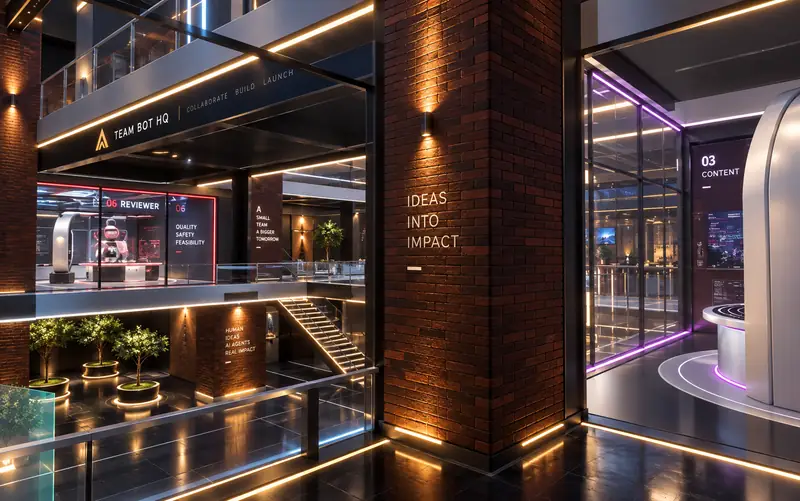
Inside: clear glass, precise equipment, stacked workspaces, holographic data and agents at their stations. The old factory stays visible: brick piers, steel trusses and the crane are still there.
The language of the Bastion.
One system runs through the building, its interface and this page. Five decisions carry it: three typefaces with fixed jobs, a palette that keeps agent colour for identity, six materials, a square-cornered HUD, and motion that always reports a state.
Typography
Three faces, three jobs. They never swap roles.
Headings, the wordmark and station names. Wide and engineered, like lettering stencilled on plant.
Paragraphs, labels and controls. Technical without being cold, and readable at 11px.
Sector numbers, counters and timecodes. A dot matrix that reads as instrumentation.
These three are the editorial layer you are reading and the direction for the product. Inside the 3D build, the HUD still runs on a provisional system sans; the final typeface is not in yet.
Colour
Warm and heavy outside. Cool and precise inside.
#FF8A1FAlerts, actions and the system's own voice.#A2442BThe shell. History, weight and warmth.#0B0D13Structure, machinery and every HUD surface.#E8ECF5Agent pods, bot shells and primary text.#72E4FFThe Core, data and anything projected.#F4BE55Gold · level bars#4A9EFFBlue · round lenses#B477FFViolet · upward arcs#42D8C5Teal · diamonds#7ED957Green · square pixels#FF5964Red · slanted slitsThe rule that keeps the building from turning into a rainbow: agent colour marks identity and state only. Eyes, trims, a station's accent line, a handoff in transit. Never a wall, a floor or a room. Each agent also has its own eye shape, so they stay distinguishable without colour.
Materials
Old factory kept in view; glass and light built into it.
HUD components
Industrial precision: solid surfaces, square corners, one accent.
These are specimens drawn in this page's system. The components exist in the build: the film in sector 07 shows them in use. Every panel there is a near-solid surface whose contrast does not depend on blur, and nothing is set below 11px.
Motion language
Nothing moves for decoration. Each motion reports something.
The building is the workflow diagram.
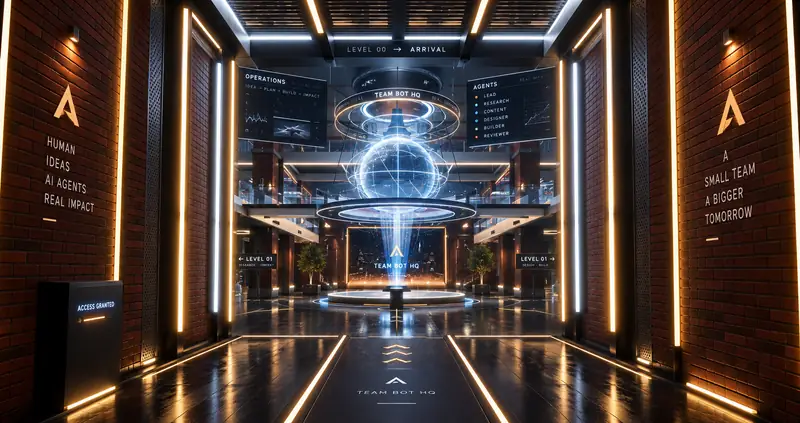
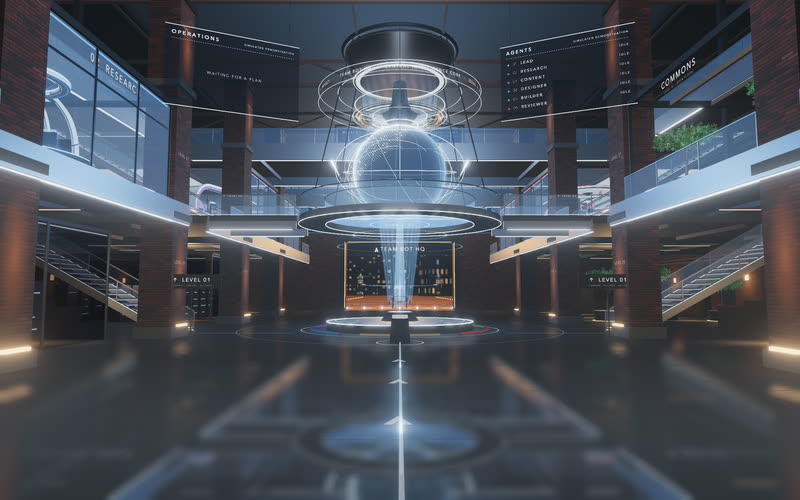
The rooms sit in the order the work happens. You come in from the storm, pass one door and arrive under the Core. The five makers work in chain order round the atrium, Lead commands from the deck above them, and the runway waits at the far end of the axis you walked in on. Follow the visitor's path, or pick a level in the section.
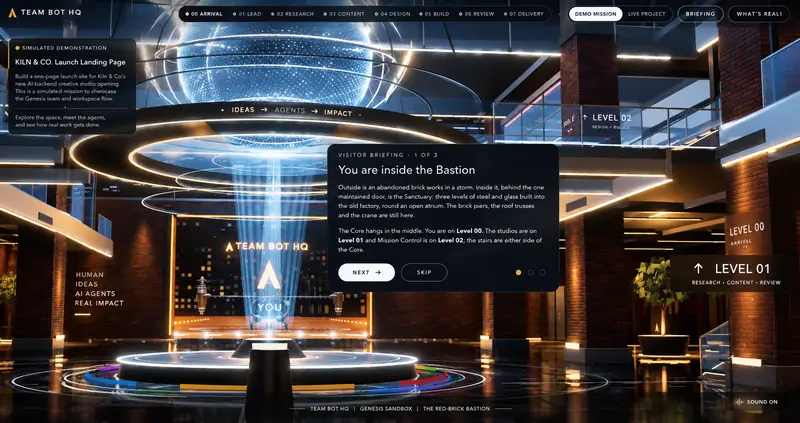
Central Sanctuary
The floor of the atrium. The Core hangs above it, your own console stands in front of it, and the stairs to both upper levels start either side of it.
Six agents. Six distinct environments.
I didn't want six robots that only differ by colour. They share one lightweight body and one design language, but each has its own eye shape, one accessory, a station built as architecture around its job, and its own way of working at it. Pick one below, use the arrows, or press 1 to 6.
Agent summary
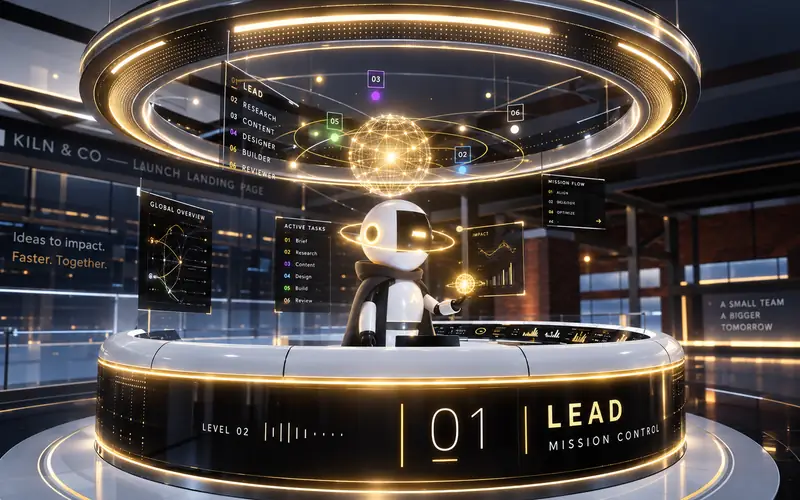
Lead · Command Nexus
A horseshoe console under a three-ring halo on Level 02. Lead turns the brief into assignments, opens the workflow and writes the team summary at the end.
A horseshoe console, a halo of brushed titanium in three rings and a globe of light with the team in orbit. Its wall is the only one drawn from the mission itself.
Carries the Mission Orb low at rest. Raises it, watches it and reaches across to adjust it while planning. Holds it out to you when a decision is waiting.
RealTurns a request into assignments and writes the final team summary.
StagedThe thinking pause before the plan. TeamBot has no thinking state.
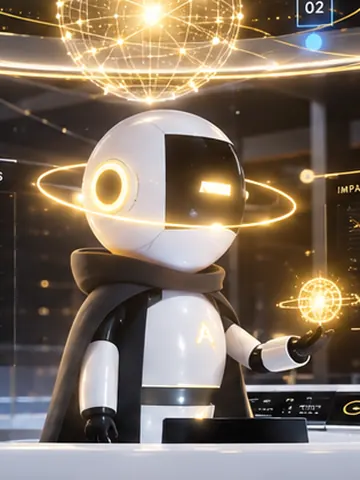
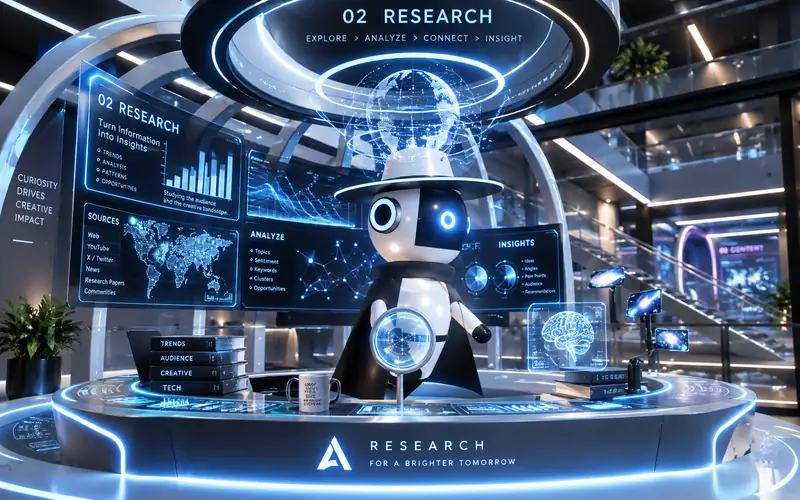
The station images are key art: the renders I art-directed the build toward. Press "Watch at work" for the build itself: real-time recordings of the 3D canvas, where one procedural controller animates all six agents.
From watching to understanding.
Genesis Sandbox isn't a 3D exhibit. You walk in, open the map, inspect any agent and follow one mission from the gate to the runway. Twice, it stops and waits for you.
Two ways to see that here. The film shows what it feels like: 44 seconds recorded from the running build. The playback underneath explains the logic: the same mission, step by step, with each beat marked real or staged.
Recorded on 11 October 2026 from the running build in Chromium on an Apple M4, at 1920 × 1080. It was captured frame by frame at 30 fps and plays at real speed. Both decisions are real clicks on the real buttons. Straight cuts with a fade at each end. No sound, no generated footage, no retouching.
What happens in the film
- 0:00Night and rain. The red-brick works, its lit Team Bot HQ sign, and the title screen offering "Enter the Bastion".
- 0:02The camera crosses the wet yard toward the one glazed door.
- 0:05The door leaves slide open. A brick tunnel with amber strips gives way to white light, and the Core appears ahead.
- 0:11Inside the Sanctuary: three levels of glass and steel round the hung Core.
- 0:13Lead at the Command Nexus on Level 02, planning the mission.
- 0:15A packet of light labelled "Research brief" travels to Research's studio, and Research starts work.
- 0:18Content, then Designer, then Builder at work in their studios, seen from the atrium.
- 0:24Reviewer records a blocking finding. A red packet travels back to Builder.
- 0:26Builder waits. The card reads "Builder wants to change a draft". "Allow once" is clicked.
- 0:30Lead reports that the final package is ready. "Approve delivery" is clicked. This gate is staged: TeamBot has no final delivery gate.
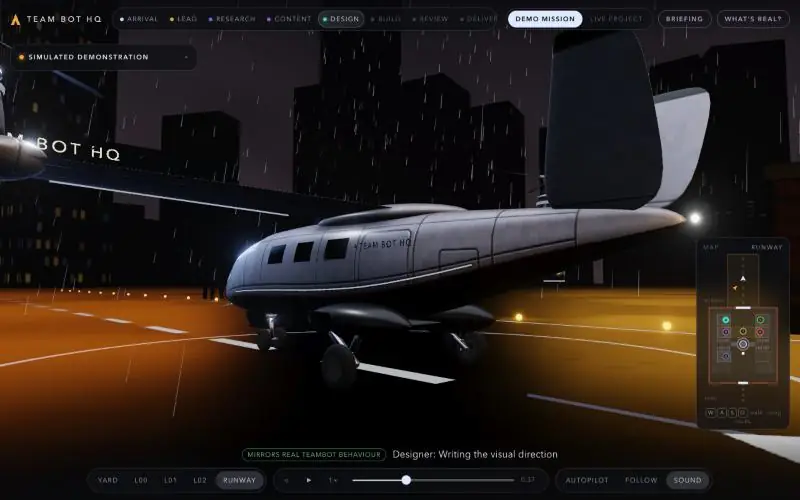
- 0:32A cargo case rides a rail out of the building and across the apron to the aircraft.
- 0:35The case is drawn into the cargo bay and the hatch shuts.
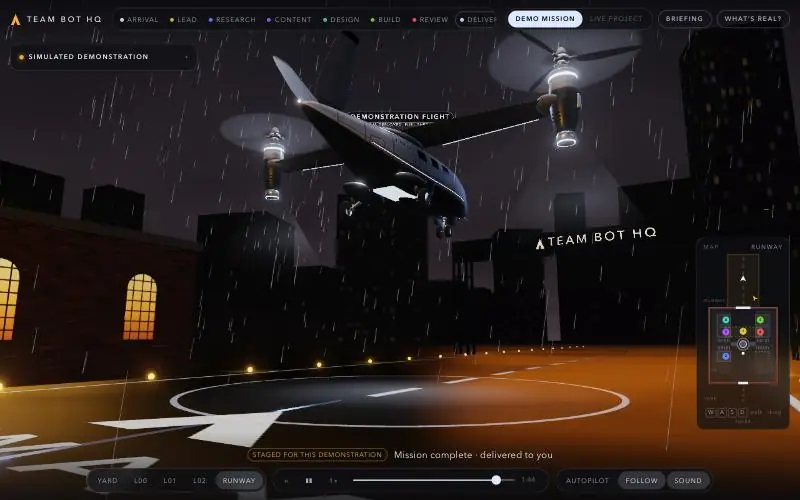
- 0:38The aircraft lifts off under a "Demonstration flight" label.
- 0:43The finale card: "Delivered to you". Nothing was deployed, published or sent.
A simulated mission for a fictional client, Kiln & Co. It follows the Sandbox's own demo script: the same chain, the same finding and the same two decisions. Answer both yourself to unlock the runway in Agent Select.
Builder wants to change a draft
Edits to existing files need your permission.
A real TeamBot decision type · simulated contentFour kinds of truth, kept apart.
The demo is persuasive, so it has to be labelled. Everything a visitor sees belongs to one of four categories, and the build says which, on the HUD and on the stations themselves.
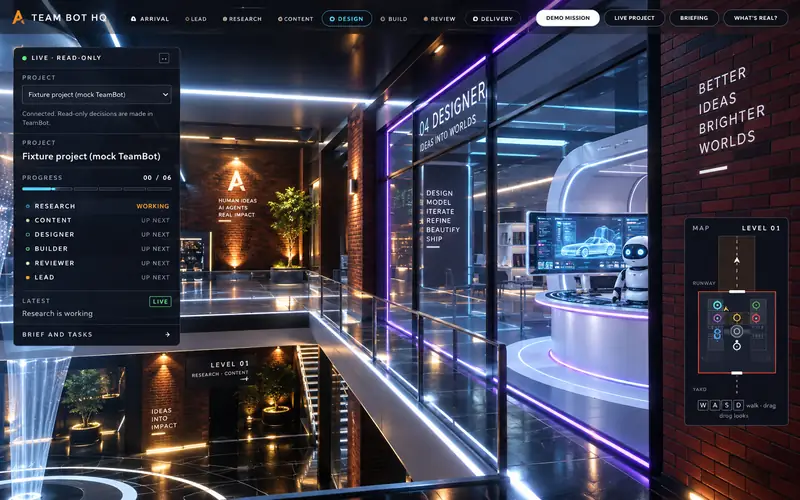
From robot showroom to AI workstudio.
This didn't come out right on the first try. The build went through sixteen documented passes.
A round robot showroom
The first Sanctuary was a circular hall with six agents arranged around the Core. It showed the characters and the tasks, but it felt like a display, not a place where work happens.
A correct layout doesn't mean the space is designed.
Spatial architecture
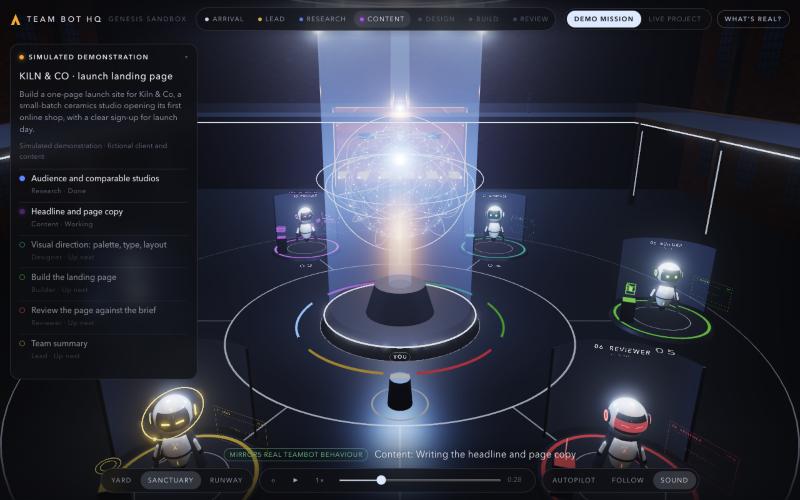
Six stands on a circle read as a robot showroom. Every agent was on display and none was at work. There was nothing to walk to, and where an agent stood told you nothing about its place in the workflow.
Rebuild it as one brick hall on three levels round an open atrium: studios flush with the atrium edge, Mission Control on a deck above, the Core hung from the roof. Walking replaced orbiting.
Workstation design
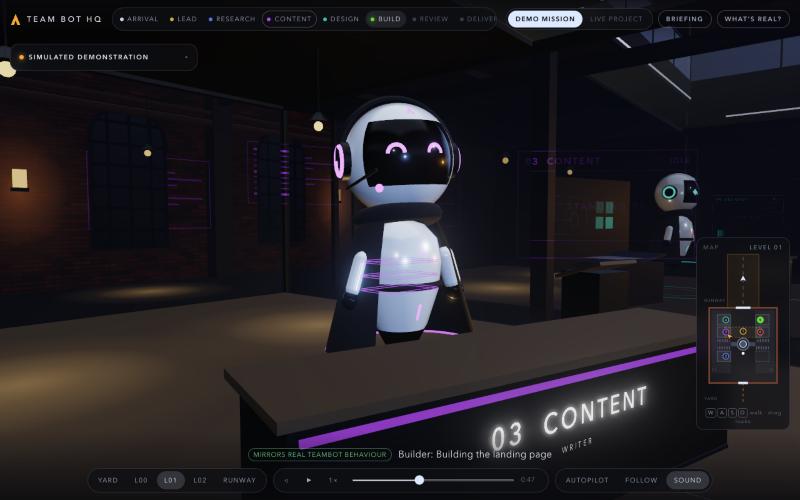
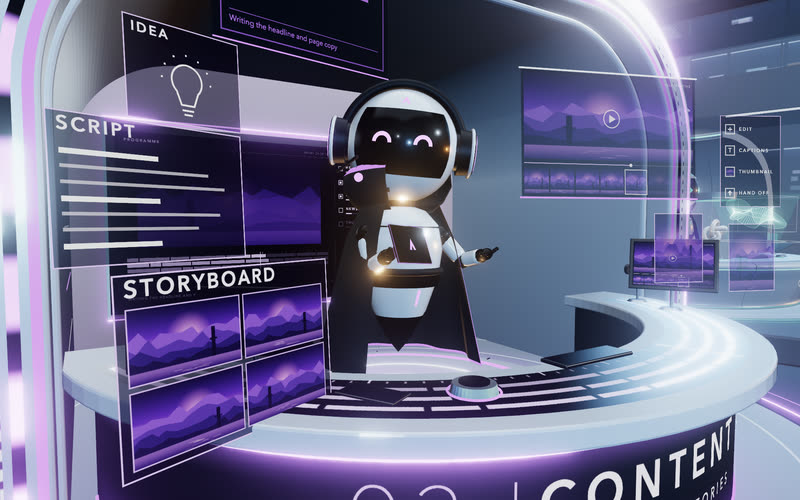
The V2 studios had a desk and a screen each. Correct, and generic: a desk says nothing about the job, and the six stations differed only by colour.
Build each station as architecture. I took the Designer pod first, approved it as the quality benchmark, then had the other five built to that standard on shared parts, each with its own silhouette.
HUD readability
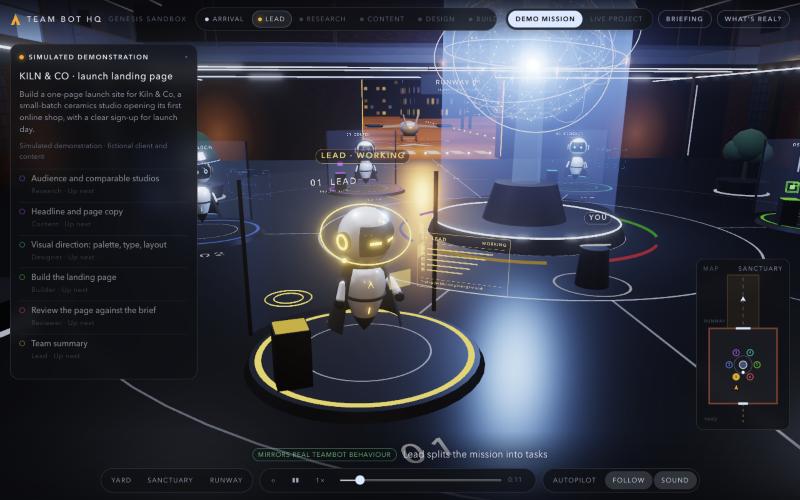
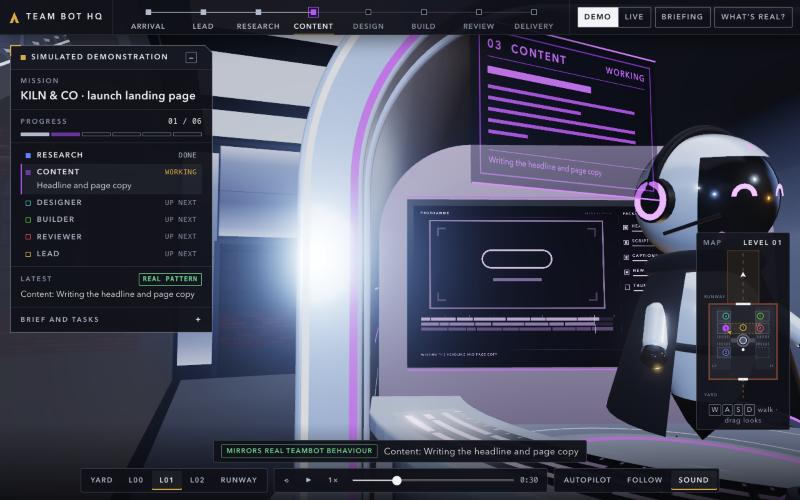
Panels were 72 to 86% opaque, leaned on blur, used rounded pills and set mid-grey text at 9.5 to 10.5px. Over a bright atrium the mission card could not be read.
One solid surface at 95% opacity, three text colours, square controls on a 3px radius and nothing below 11px. Measured against a pure white scene: primary text 15.6:1, secondary 9.6:1.
The "before" images are the small captures saved at the time of each pass (800 × 500), shown as they were recorded.
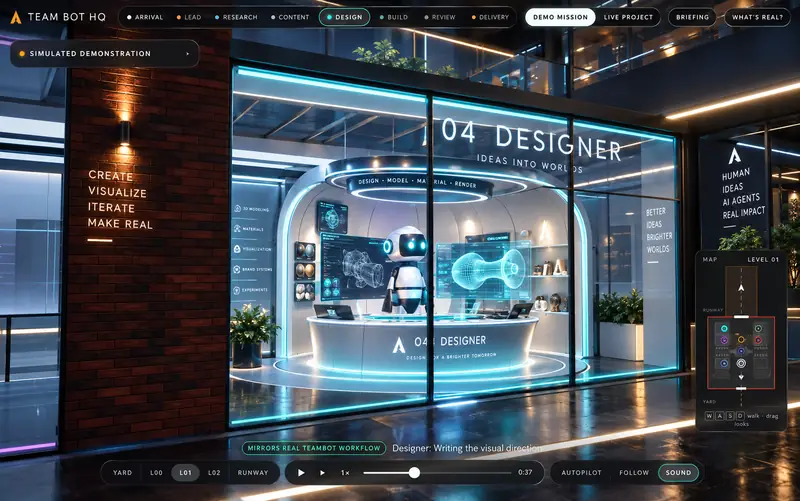
The Designer pod set the standard.
It was the first station where shell, console, materials, light and a projected model worked as one object: a wall and canopy in a single sweep, a black-glass control surface, a ribbon form with a scanning plane. Once it held up, I stopped accepting desks. Every other station had to reach the same standard with a different structure.
Concept target, then the build.
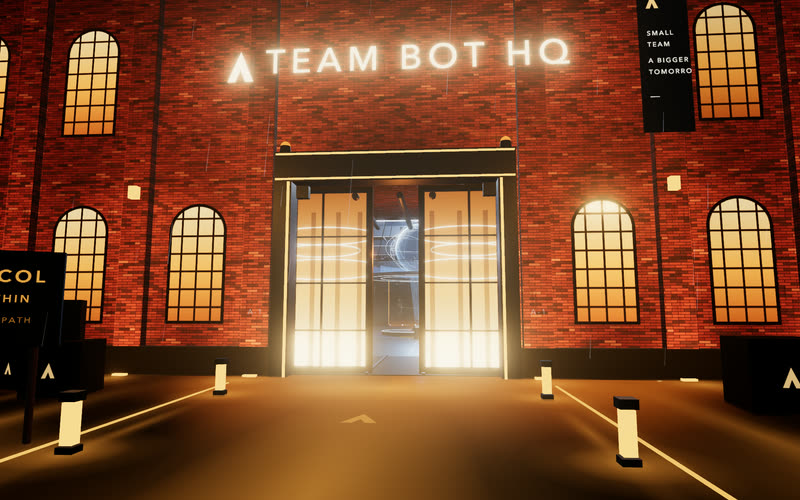
Taken from the render: the lit brick, the glazed door, the lanterns, the banner, the sign and its spheres. Left out: the taglines and the lettering on a distant tower. Still short of it: the wet ground shows painted streaks, not true reflections.
I art-directed with concept renders and had the stations built toward them in real-time WebGL. The renders are targets, not screenshots, and the build does not match their fidelity. What I refused to carry over matters as much as what I kept.
A believable world, in a browser tab.
Genesis Sandbox runs live in Three.js and WebGL as a static site with no backend. Almost everything is made in code: geometry is built from numbers and textures are painted at load. One asset comes from Blender.
Procedural architecture
The whole interior is generated from one floor plan and merged into one mesh per material, about a dozen in all. Rain is a single draw call; windows, skyline and runway lights are instanced. The six stations share one parts kit and one light system that costs two draw calls per station, however many lights it shows.
The aircraft: Blender to GLB
The one piece that needed real industrial modelling. A Python script builds it in Blender from numbers: subdivision surfaces for hull, wing and nacelles, with paint, panel lines and ambient occlusion baked into a single 2048 atlas. It loads lazily and a simpler in-code aircraft stands in until it arrives. Tilt, rotors, lights and take-off are driven in code.
Agent animation
No rig and no keyframes. One controller maps an agent's mission state to a behaviour (idle, working, waiting, completed), cross-fades between them and returns a pose of fifteen numbers. What is particular to an agent is a small performer on top. The thinking pose plays in the demonstration only: a live agent is never shown thinking, because TeamBot has no such state.
One clock, no drift
The demo is a pure function of time: the script plus a clock produce the whole view. Pause, speed, replay and scrubbing cannot fall out of step, and the delivery sequence can be sought to any moment and restored. A decision holds the clock until the visitor answers; saying no stops the mission with a plain explanation.
Live data architecture
Two sources, one shape. A local TeamBot is read through a proxy that refuses everything except GET, and its saved records are projected into a mission view. The simulated mission is derived from its script into the same mission view. The world and the HUD only ever see that view, so they cannot tell the sources apart and have no way to write back. Live mode never plays the take-off and never answers a decision.
Performance, as measured
Frame time per view after the final lighting pass. Apple M4, 1440 × 900, measured in a hidden browser pane with each frame forced to finish on the GPU.
| View | Frame time | Draw calls |
|---|---|---|
| Builder station | 10.2 – 10.9 ms | 255 |
| Designer station | 10.9 – 11.5 ms | 308 |
| Research station | 11.3 – 11.6 ms | 465 |
| Reviewer station | 11.7 – 12.0 ms | 381 |
| Lead station | 12.2 – 12.6 ms | 644 |
| Content station | 11.0 – 12.9 ms | 430 |
| Wide atrium | 17.3 ms | 1,769 |
These are frame times in a pane that was not on screen. They are not an observed frame rate, and I don't quote one. Two runs of the same view differed by up to 1.9 ms. Not measured yet: phones, 2× displays, other browsers and weaker GPUs.
Decisions and tradeoffs
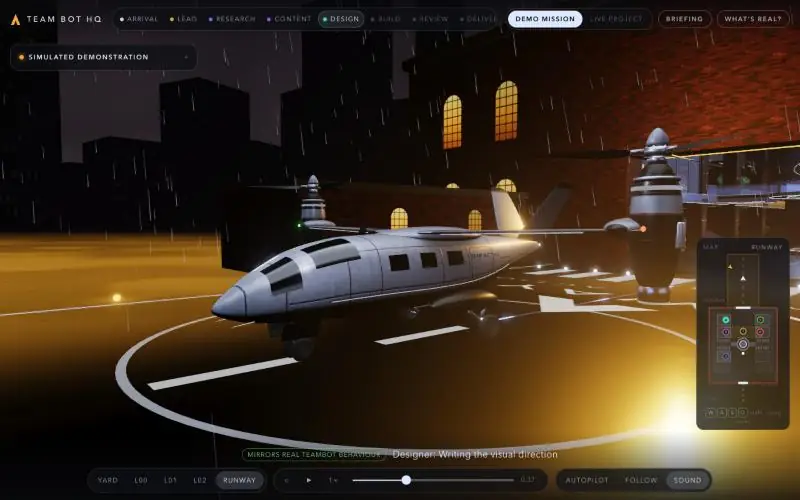
An AI system you can walk through.
A complex multi-agent system became a place: you enter it, meet six agents at their stations, watch one task travel between them, and make the two decisions that only a person can make.
It changed how I think about AI product interfaces. When a system gets more complex, the reflex is more lists, more cards and more dashboards. Space, motion, character and environment turned out to be another way in. That is still a hypothesis to test, and now there is something real to test it with.
What was built
- 01A walkable 3D environmentYard, three interior levels and the runway apron, on foot, with collisions.
- 02A three-level SanctuaryOne brick hall round an open atrium, with the Core hung from the roof.
- 03Six specialised agent stationsEach built as its own piece of architecture on a shared kit.
- 04An interactive missionOne clock with play, pause, speed, scrubbing, replay and autopilot.
- 05A procedural animation systemSix bots whose behaviour follows their mission state.
- 06Two human decision pointsThe mission holds until you answer. Saying no stops it.
- 07Read-only Live Project modeThe same view, driven by a local TeamBot through a GET-only proxy.
- 08A delivery sequencePackage, rail, cargo bay and take-off, labelled as a demonstration.
- 09Orientation toolsA visitor briefing, a spatial map and a "What's real?" panel.
What was validated
- 31 of 31 unit tests pass, with a clean typecheck. Re-run on 11 October 2026. They cover the mission script's labels, the timeline, both decision gates, the deny paths, the live projection and walking routes.
- A full mission runs clean in the browser. The film on this page was recorded from one continuous run, with both decisions clicked, and logged no console errors.
- Seeking holds up. Jumping to any moment of the delivery restores the package, the bay door and the aircraft.
- Live mode works against a stand-in server: reported states map to behaviours, nothing is shown thinking, and the decision card has no buttons.
- Frame time is 10 to 13 ms on station views and about 17 ms on the wide atrium, on an Apple M4 at 1440 × 900.
- HUD contrast was measured against a pure white scene: 15.6:1 for primary text.
Not validated yet
- No user testing. Whether the space is easier to understand than a dashboard is untested.
- The real TeamBot app. Live mode has only met the stand-in fixture.
- Real phones, Safari, Firefox and weaker GPUs.
Project questions
Inside Genesis Sandbox
What is Teambot HQ–GENESIS SANDBOX?
Genesis Sandbox is a walkable 3D AI workstudio designed by Yuya. Six specialist agents occupy individual studios around a shared Core, making a mission’s progress, handoffs, revisions, and human decision points visible in space.
What did Yuya design and build?
Yuya led the concept, creative direction, UX/UI, 3D experience design, and AI-assisted development. The result includes a three-level environment, six agent stations, an interactive mission, a read-only Live Project mode, and a demonstration delivery sequence.
How does the multi-agent workflow work?
Lead plans the mission, then Research, Content, Designer, Builder, and Reviewer contribute their specialist work. Visible handoffs connect the stations. A review finding can send work back to Builder, and the demonstration pauses for human decisions before continuing.
Which technologies power Genesis Sandbox?
The experience uses Three.js and WebGL. Most geometry is procedural and textures are painted at load; one asset comes from Blender. The separate local TeamBot application uses Next.js and SQLite, with a GET-only proxy for the read-only Live Project view.
Is the demonstration connected to real AI agents?
Demo mode runs a labelled, scripted mission. Live Project mode is designed to read state from a local TeamBot application, but has only been validated against a stand-in server. The final delivery approval and aircraft sequence are staged demonstration elements; the experience does not publish or send work.
Has the spatial interface been tested with users?
No user testing has been completed. The case study documents technical checks and a recorded mission run, but whether the spatial interface is easier to understand than a dashboard remains an untested design hypothesis.
Three rules I'm keeping.
Space has to explain something
My first Sanctuary put six bots on a ring. It rendered correctly and explained nothing. It only started working when position carried meaning: makers in chain order, Lead above them, delivery at the far end of the axis you walk in on. Now I ask of every room what it tells you that a label couldn't.
Quality comes from art direction
AI coding agents had a working prototype running in a day. That was the easy part. The work that made it mine was sixteen rounds of looking and deciding: rejecting the showroom, holding every station to the Designer pod, sending back reflections that were too sharp and a HUD I couldn't read.
A great demo stays honest
My own concept renders said Publish, Deploy and Approve. TeamBot does none of those, so the build doesn't say them either. Reviewer's wall reads "a person decides", and the aircraft flies under a Demonstration label. The limits made the piece more believable, not less.
Make something imaginative. Respect the real product's limits.